SoundCraft Online DAW
A complete pure Rust WebAssembly multitrack DAW inside your browser tab—dual Edit & Mix windows, 25+ native DSP plugins, MIDI piano roll, breakpoint automation, and lossless WAV/AIFF/FLAC bounce with zero uploads.
Launch SoundCraft right in your browser
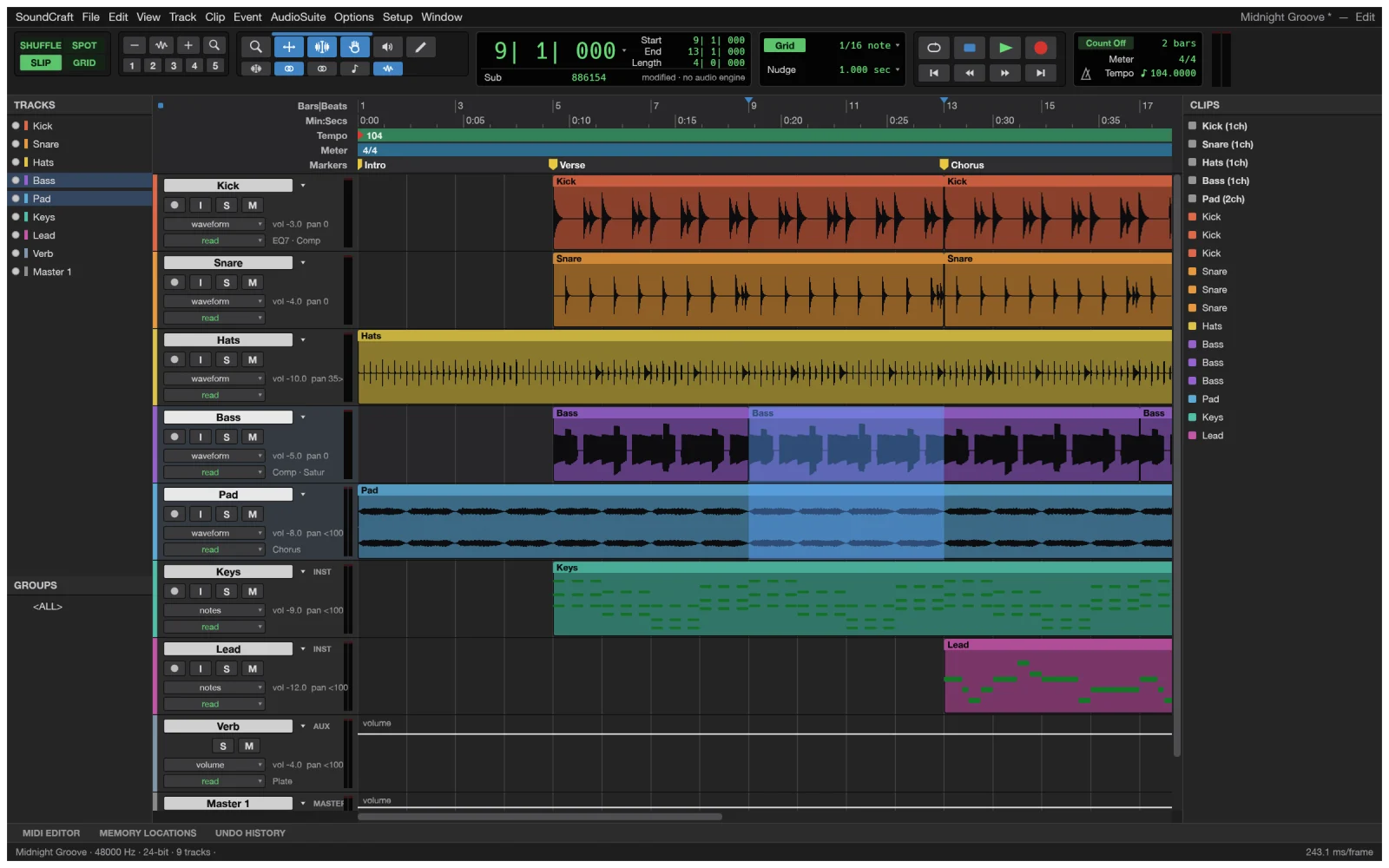
Loads the local WebAssembly studio (~6.9 MB compressed) with a 9-track synthesized demo song, full console mixer, 25+ DSP processors, and strict zero-upload isolation.
Ready · Click "Start SoundCraft DAW" to boot the local Rust WebAssembly engine, or open Standalone for full-screen multitrack production.
0 uploads — enforced by browser CSP (connect-src 'self' blob:). Dropped WAV, FLAC, MP3, OGG, and MIDI files execute strictly in local WebAssembly RAM. See CSP proof & keyboard shortcuts ↓
ACT I · RUST WEBASSEMBLY ENGINE
How SoundCraft Runs a 120 FPS Rust DAW Inside Your Tab
Most browser audio editors either limit you to single-track waveform trimming or require uploading stems into proprietary cloud accounts. SoundCraft is a clean-room, open-source digital audio workstation engineered in 100% pure Rust and compiled directly to wasm32-unknown-unknown—delivering a real dual-window Edit + Mix studio with zero installation and zero server dependency.
Its real-time audio graph processes up to 128 tracks with 10 insert slots, 10 pre/post sends, aux busses, routing folders, VCA masters, and automatic Plugin Delay Compensation (PDC) while rendering GPU-accelerated waveforms and meters via WebGPU (with instant WebGL2 fallback). Even the 9-track demo session is synthesized mathematically on boot by SoundCraft's own DSP instruments.
Local Stems / MIDI → Rust WASM Audio Graph (25+ DSP + PDC) → WebAudio + Lossless Bounce
~6.9 MB compressed WASM · 16/24/32-bit WAV, AIFF & FLAC bounce · Integrated LUFS readout · MIT / Apache-2.0
ACT II · OPERATIONAL WORKSPACE PLATES
Dual-Window Multitrack Architecture & Studio Views
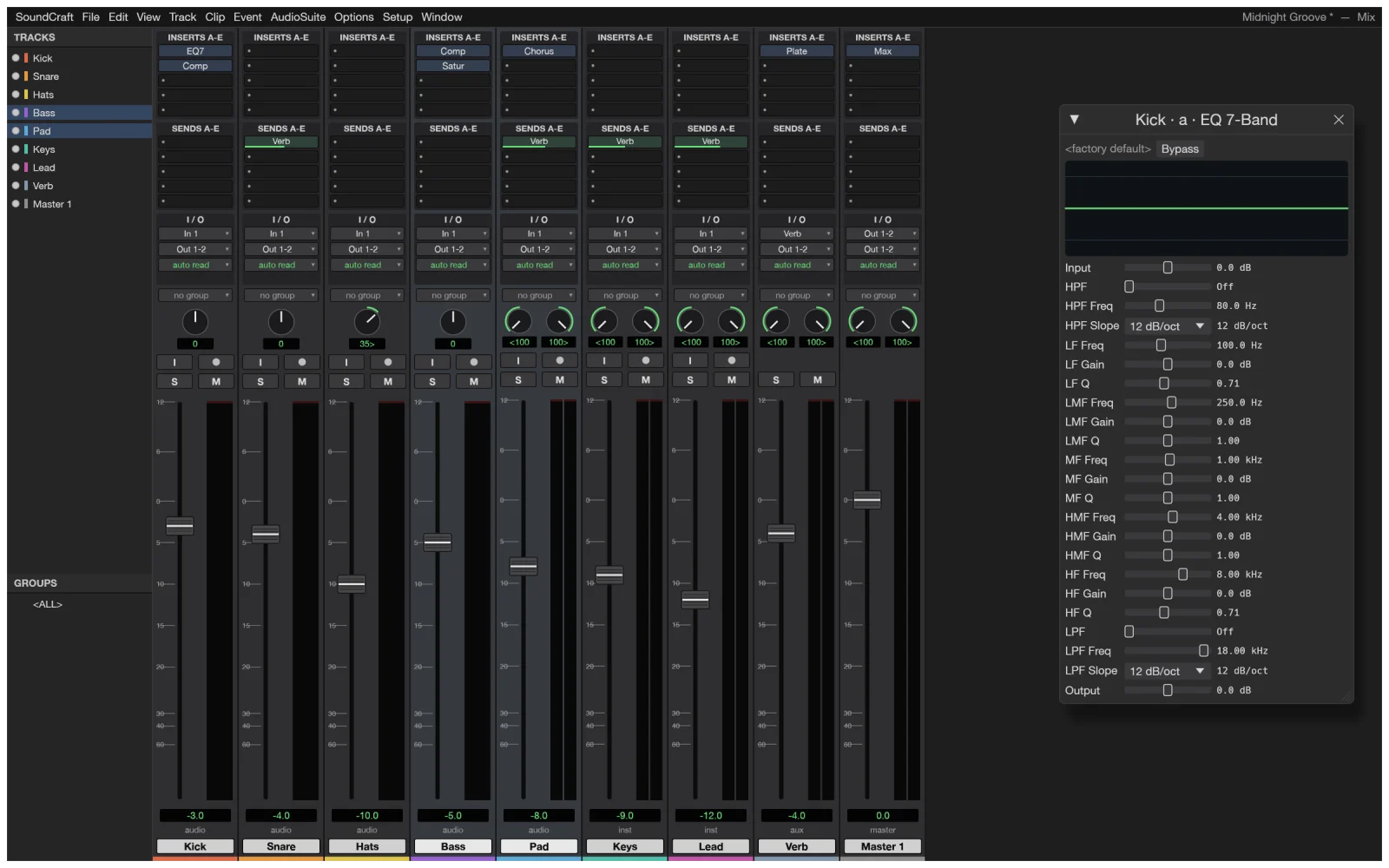
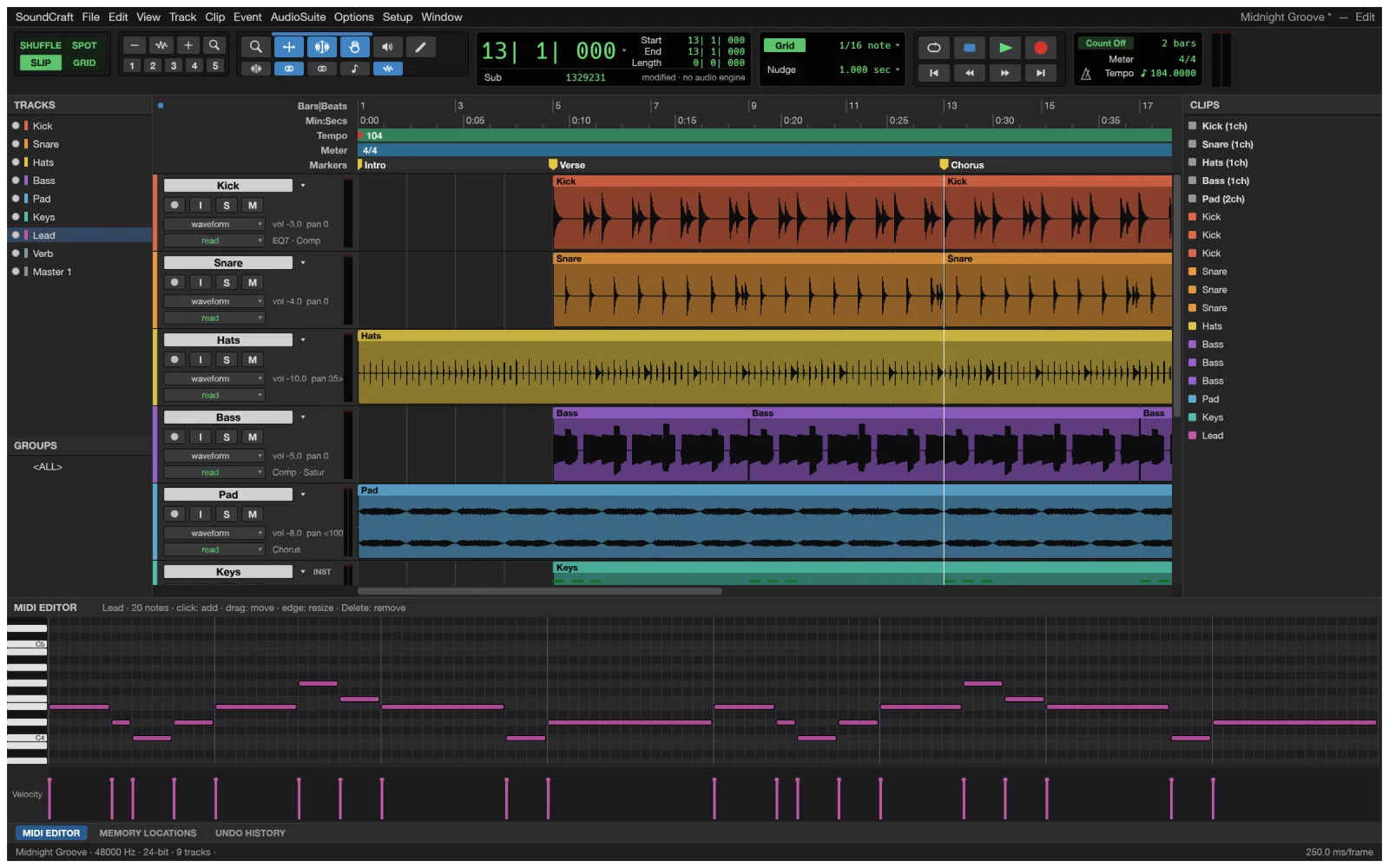
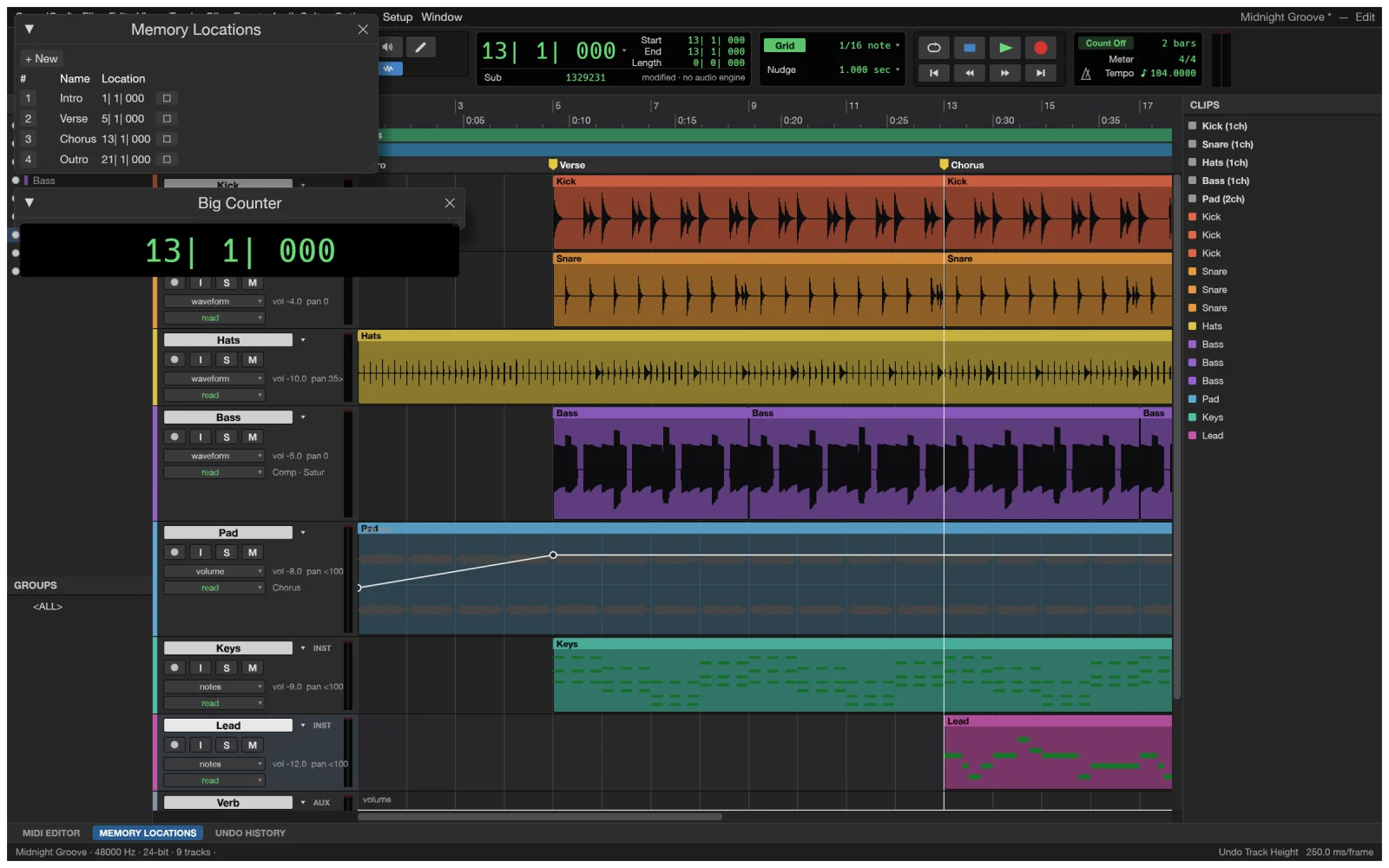
Inspect all four core production views compiled into SoundCraft v0.20.1—switching seamlessly between multitrack timeline editing, full channel-strip mixing, MIDI composition, and breakpoint automation inside your browser.
ACT III · COMPLETE STUDIO TOOLKIT
25+ Native DSP Plugins, Instruments & Signal Routing
Every processor inside SoundCraft is written in zero-dependency Rust DSP—meaning zero third-party installer headaches and instant session recall across machines. Click any module below to jump straight back to the DAW launcher above.
ACT IV · SHORTCUTS, DSP MATRIX & SANDBOX PROOF
Keyboard Shortcuts, DSP Matrix & CSP Sandbox Audit
Click inside the SoundCraft canvas once to focus WebAudio and keyboard transport controls. Expand the exact reference drawers below for engineer shortcuts and the full native DSP & format compatibility table.
connect-src 'self' blob:
The embedded app at /soundcraft/app/ enforces an explicit browser Content Security Policy blocking all third-party network hosts and tracking beacons.
Portable .scraftz Sessions
Save and reopen full multitrack projects directly to your local disk—no cloud subscription lock-in, no export paywalls, and offline-capable after boot.
Browser WASM vs Native Plugins
The browser edition covers 25+ native Rust DSP plugins and file I/O. Need CLAP/VST3/AU third-party plugins, hardware ASIO/CoreAudio I/O, or MIDI controllers? Grab the native desktop builds below.
| Shortcut (macOS / Win & Linux) | Studio Action |
|---|---|
Space | Play / Stop multitrack transport |
⌘= / Ctrl+= | Toggle instantaneously between Edit window and Mix window |
F1 – F4 | Switch Edit modes (Shuffle, Slip, Spot, Grid) |
F5 – F10 | Select Zoomer, Trim, Selector, Grabber, Scrubber, and Pencil tools |
⌘E / Ctrl+E | Separate / split clip at playhead or selection bounds |
⌘D / Ctrl+D | Duplicate selected audio clip or MIDI note region |
Enter | Drop a new Memory Location marker at current timeline position |
⌘⇧N / Ctrl+Shift+N | Open New Tracks dialog (create up to 128 audio, aux, or MIDI tracks) |
| Category | Included Capabilities |
|---|---|
| EQ & Dynamics | 7-band parametric EQ, 1-band EQ, Compressor/Limiter, Gate/Expander, De-Esser, Maximizer, Channel Strip |
| Time & Modulation | Room Reverb, Plate Reverb, Modulated Delay, Chorus, Flanger, Phaser, Saturator, Pitch/Time Shift |
| Built-In Instruments | Subtractive Poly Synth, Synthesized Drum Machine, Multi-Format Keyboard Sampler, Audio-to-MIDI |
| Import Formats | WAV, BWF, RF64, AIFF, FLAC, MP3, Ogg Vorbis, AAC, ALAC, CAF, MP4/MOV audio, SMF (.mid), .scraft / .scraftz |
| Lossless Bounce | 16-bit, 24-bit, or 32-bit float WAV, AIFF, or FLAC with optional dither, normalization, peak & LUFS report |
Verifiable Zero-Upload CSP Sandbox & Open-Source Credits
Unlike cloud DAWs that mandate sign-up and sync audio stems to remote storage, AIAC hosts the unmodified SoundCraft v0.20.1 WebAssembly build locally at /soundcraft/app/ under strict Content Security Policy isolation (default-src 'self'; connect-src 'self' blob:; script-src 'self' 'wasm-unsafe-eval'; form-action 'none'). Open Chrome DevTools → Network to confirm 0 audio bytes leave your machine.
SoundCraft is open-source software by the SoundCraft contributors, dual-licensed under MIT or Apache-2.0. License & attribution files hosted directly on AIAC: MIT · Apache-2.0 · NOTICE.
Browser WASM vs Native Desktop Builds
Run SoundCraft directly in your browser tab for instant mixing, podcast assembly, and zero-install stem editing. Need native hardware audio interfaces, third-party CLAP/VST3/AU plugins, hardware MIDI keyboards, or scriptable soundcraft-cli / MCP automation? Download signed desktop builds for macOS, Windows, Linux, and FreeBSD from GitHub Releases.
ACT V · QUESTIONS & STUDIO INDEX
Frequently Asked Questions
Does SoundCraft Online DAW upload my audio files or sessions to a server?
No. SoundCraft is compiled from pure Rust to WebAssembly and runs 100% locally inside your browser tab under an explicit HTTP CSP sandbox (connect-src 'self' blob:). Dropped WAV, FLAC, MP3, OGG, and MIDI files never leave your device.
How do I hear playback and use keyboard shortcuts inside the browser DAW?
Click inside the SoundCraft canvas once so your browser unlocks WebAudio, then press Space to play or stop the 9-track synthesized demo song. Press Cmd/Ctrl+= to toggle Edit and Mix windows, F1–F4 for edit modes, and F5–F10 for tools.
What audio formats can I import and bounce in SoundCraft?
Drag and drop WAV/BWF/RF64, AIFF, FLAC, MP3, Ogg Vorbis, AAC, ALAC, CAF, MP4/MOV audio, Standard MIDI Files (.mid), and SoundCraft session bundles (.scraft / .scraftz) directly onto the canvas, and bounce full mixes or stems to 16/24/32-bit WAV, AIFF, or FLAC with integrated LUFS reporting.
What if the canvas looks blank or WebGPU fails on my GPU driver?
Click the "WebGL2 Safe Mode" tab in the stage bar above (or open /soundcraft/app/?webgl directly). SoundCraft immediately switches from WebGPU to its universal WebGL2 rendering backend.
Is SoundCraft free and open source? Can I install the desktop version too?
Yes. SoundCraft is open-source software by the SoundCraft contributors (github.com/storytold/soundcraft), dual-licensed under MIT or Apache-2.0. Run it right here in your browser or grab native signed desktop builds (macOS, Windows, Linux, FreeBSD) from GitHub Releases.
How does SoundCraft compare to BandLab or Soundtrap?
BandLab and Soundtrap are cloud-first DAWs optimized for real-time online collaboration, requiring login and storing tracks in the cloud. SoundCraft requires zero sign-up, runs 100% offline in local WebAssembly RAM, supports dual Edit/Mix console workflows with 10 inserts/10 sends and PDC, and bounces uncompressed 32-bit float WAV/FLAC.
Can I save my work and reopen it later without creating an account?
Yes. Export your complete multitrack project as a portable .scraftz session bundle directly to your computer and drag it back onto SoundCraft anytime—your audio, MIDI, plugins, and automation lanes restore instantly without cloud storage.
Companion Browser-Local Audio Tools
- Online LUFS Loudness Meter Audit your SoundCraft bounce against Spotify (-14 LUFS), Apple Music (-16 LUFS), and EBU R128 specs. →
- FLAC to MP3 & Fake-FLAC Checker Convert SoundCraft's lossless FLAC or WAV bounces into 320 kbps MP3s with live spectrogram audit. →
- Song Key & BPM Finder Detect musical key, Camelot mixing code, and BPM tempo of loops or stems before importing them. →
- AIAC Podcast Studio Turn finished podcast bounces into verified transcripts, timestamped show notes, and blog drafts. →